What’s New in Rollie - September 8, 2026

Last weekend, we shipped Rollie’s biggest update yet. Here are the details.
It’s All About the Data
The biggest change to Rollie isn’t something you’ll notice clicking through the platform. We’ve completed a major overhaul of the way Rollie’s data is structured and stored. It won’t change your day to day today, but it’s the foundation for everything we want to build next, and it lets us ship bigger features faster. We’re excited about what it opens up.
Job Board Enhancements
As we mentioned last week, Rollie’s job boards got a major update. The boards look a little different. We tried to surface more at first glance while keeping the board simple and easy to use. The highlights:
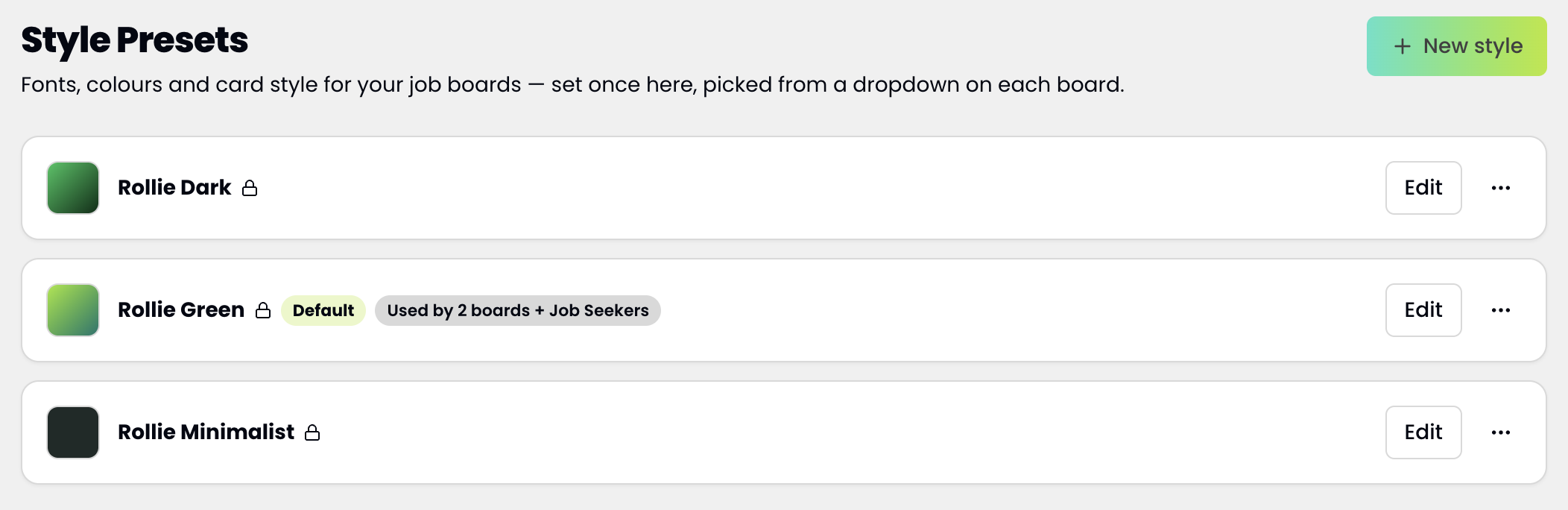
Rollie job board style presets
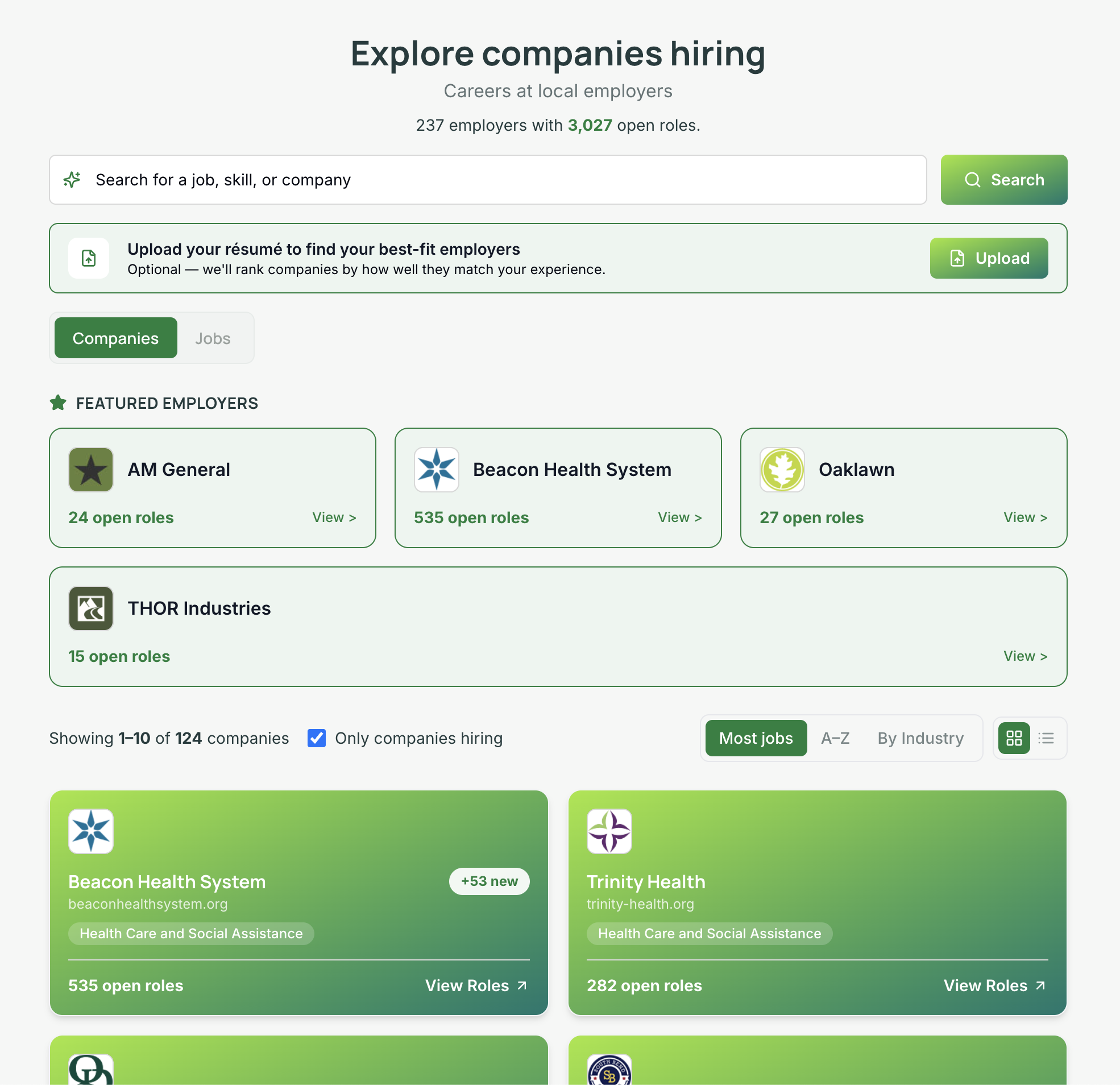
Rollie job board view with companies tab

Rollie Jobs resume capture feature
Style Presets - You can now create style presets and reuse them across multiple job boards. Save designs, try things out, and apply a look with one click. Presets live in the main navigation under Style Presets, where admins can create, duplicate, and set an org default.
Company View - Admins can enable a company view of the job board, letting people browse the companies hiring in your region and explore jobs by employer rather than searching job by job. Company view and job view each toggle on and off independently in your board settings, so you can run either one or both. With both enabled, you choose which tab opens by default.
Newest Jobs First - Job listings now lead with the most recently posted rather than running alphabetically.
Resume Retention - Resume search has been a hit since day one. Now your organization can keep the resumes job seekers upload, which helps if you run workforce initiatives or programs where capturing resumes is a requirement. In your board settings you can turn retention on, turn it off, or let each visitor decide whether to leave their resume with you. Retained resumes appear under Resume Captures in the left navigation, where you can browse, search, and download them.
New Embed Option - Until now, a Rollie board could be embedded in your website with an iframe or linked as its own page. We’ve added a JavaScript embed. It renders your job listings directly into your page as real links that search engines can crawl and index, so the SEO benefit of those listings accrues to your site. It does require a website that allows custom script embeds. It works on ChamberMaster and GrowthZone sites and on custom-built sites. Certain Wix, Squarespace, and GoDaddy plans block script embeds, and the iframe embed still works there.
More Customization - The new board adds customizable section headers and subheaders, editable in board settings.
Job Board Analytics - Board analytics can now be segmented by 7, 30, 90, and 365 day windows. Analytics also has a link in the main navigation, where before you needed the URL.

Rollie Job board analytics
Job Seeker Enhancements
This update clears out a set of quality of life issues in the Job Seekers module.
Board Styles - You can now set the style of the board seekers see through their shareable link, using the style button in the top bar of the Job Seekers module. Note that the seeker portal renders with your organization’s default style, so choosing a style here sets that default and will also change any board that doesn’t have a style of its own.
Group, Status, and Owner - Group, status, and owner can be changed straight from the job seekers list. No more clicking into each seeker to update one field. You can also drag your statuses into whatever order you want.
Page Location - Seekers browsing the job board through a shareable link no longer lose their place when they click into a job and come back.
Organization Geo-Settings
The hex tool is still there for selecting the geography your jobs are drawn from. Alongside it are new selection tools: pick a region by name (city, county, state), set a distance from a point on the map, or draw your own area directly on the map.
MCP & API
Rollie’s MCP connector remains a great way to work with your job and company data through Claude or ChatGPT. If you have a technical team, or just the inclination to wire something up yourself, you can now generate an API key and reach the same tools over plain HTTP.
We’ve prioritized the connector in this release, and it grew substantially. Nearly everything you can do in Rollie’s admin is now available through it: creating and configuring job boards, working with a job seeker’s activity log, updating your company list, managing regions and styles, inviting new users. A small number of actions stay deliberately out of reach of an AI assistant, such as minting API keys and anything that acts on another user’s behalf.
One thing you need to do: connectors cache their tool list when they connect. To pick up the new tools, disconnect and reconnect your MCP connector.
See It in Action
The best way to see any of this is to log in and look around. Poke at the connector, check your listings, filter by industry.
And if you have questions about anything here, just reach out to info@rolliejobs.com. We’re always glad to hear from you.